
Shedko Badges : Manager is a program that allows you to mark files and folders with badges. These badges will help you to quickly identify a file or a folder, since you can catalog them using your own criteria.
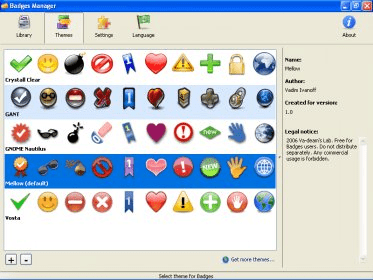
Installing this program will add a "Badges" option to any contextual menu of Windows Explorer. That way, right clicking on any file or folder you can assign a badge to it, choosing between the following categories: Disabled, Certified, Cool, Danger, Delete, Distinguished, Favorite, Important, New, Personal and Web. You can use as many badges as you want. The program comes bundled with five different badge themes: (Crystal Clear, GANT, GNOME Nautilus, Mellow and Vosta), and you can download many more themes from http://eng.softq.org/badges_themes.
You can also create your own badge themes, by downloading the Shedko Badges´ Theme Author Pack from http://eng.softq.org/shedko_badges_theme_author_pack.
The program can be installed, by default, in English or Russian. But you can download more language files from http://eng.softq.org/badges_langs.htm.





Comments (1)